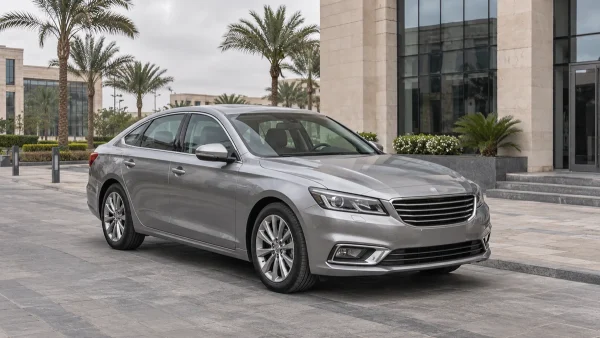
Car Rental with a Driver in Egypt: Can You Work During the Journey?
You have a car journey before a work appointment and a few things you would like to finish along the way: return a call, listen to a briefing or check your notes. Whether that is practical depends on the task, the actual passenger space and how much interruption you can accept. Choosing a car with a driver removes your driving task; it does not establish the conditions your work will need.
When you rent a car with a driver in Egypt, describe what matters to the journey as well as where you are going. This guide helps you compare the proposed sedan or van, including any Mercedes option, prepare your own communication equipment and decide which work should wait until you are somewhere suitable. Confirm the car and any requested equipment or stop with Limousine Cairo customer service.
Rent a car with a driver for work during the journey: start with the task
Think about the activity itself before choosing a vehicle. Listening to a briefing, taking a short ordinary call and editing a detailed document require different conditions. Decide what you need to see, hear or hold, who else is involved and whether the activity can stop partway through. A task that works well in a seated passenger position is a more useful starting point than a general intention to work on the road.
Give important work its own place in your programme. If a discussion needs undivided attention or a predictable setting, keep it separate from an estimated road journey. For lighter tasks, prepare something useful that you can put away easily. The benefit is flexibility: you can choose whether to continue when you see the actual conditions instead of committing to work that must be completed before the car reaches its destination.
A short call or a meeting that cannot tolerate interruption?
Consider what would happen if you had to repeat a sentence, pause the conversation or reconnect later. An ordinary update may allow that flexibility; a presentation, important decision or discussion involving several people may not. The difference is the call’s requirement, rather than the badge on the car. Sound, other passengers and your own connection all affect the practical choice.
Agree with the other person whether the conversation is suitable for a journey. If you only need to listen, prepare that arrangement beforehand rather than discovering during the call that you must share a screen or read a document. When uninterrupted participation is essential, choose a setting you can assess independently of traffic and mobile coverage.
Reviewing notes or work that needs a table?
A short agenda or a few saved notes may be manageable from a normal passenger seat. Work requiring several documents, precise typing or a stable surface creates a different requirement. Decide what you actually intend to use rather than assuming that room for a bag means room to work with everything inside it.
Prepare a concise version of the material you need, where your organisation permits it. Keep the task easy to pause and the items easy to put away. If the work depends on a desk, a particular seating arrangement or sustained concentration, plan to do it elsewhere. A photograph of a generous cabin does not establish an appropriate surface for a laptop or paperwork.
Sedan rental: assess the rear seat before preparing to work
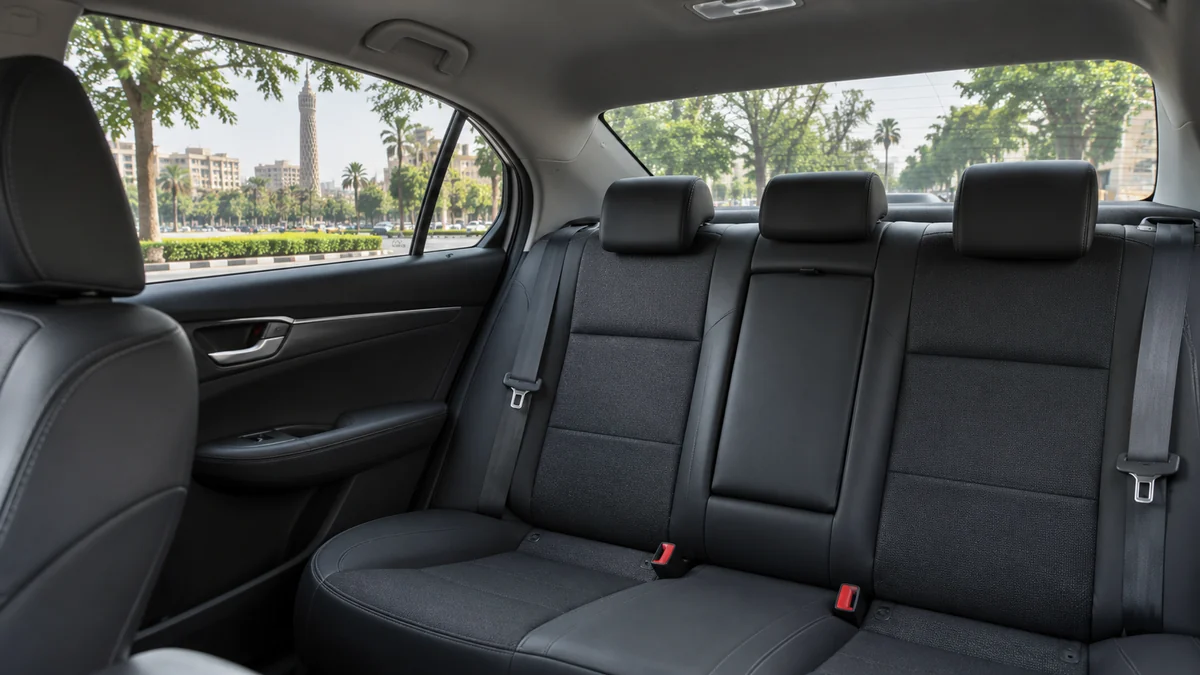
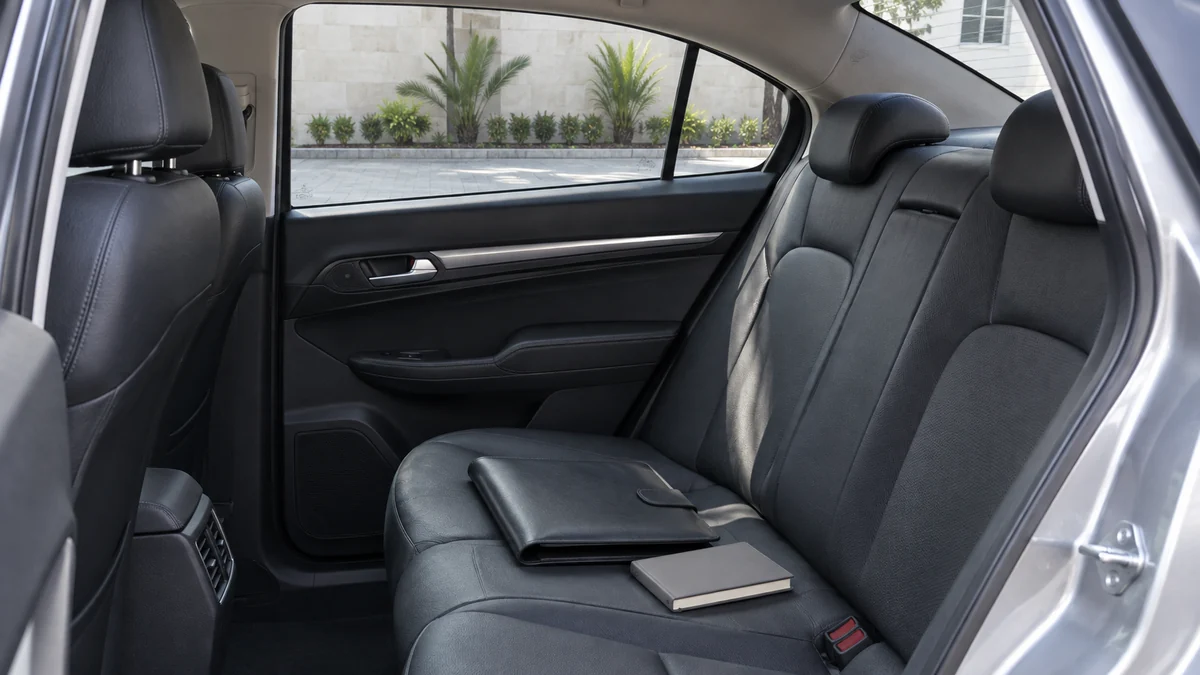
Look at the actual rear passenger position, including normal seating, belt use and access to your own belongings. If a colleague is travelling, assess the space with that person included. The place where a bag rests in an empty-car photograph may be needed by another passenger. Your work arrangement should fit the occupied cabin rather than depend on taking over somebody else’s seat.
Ask about anything that matters to your choice before confirming the vehicle. You may want a clear view of the proposed rear seat or to understand how the luggage will be carried. Keep the questions concrete: where will you sit, where will your bag go and which items need to remain accessible? Consider daylight and screen reflections, too: these can change during the journey and cannot be assessed from a single cabin photograph.
Rent a Mercedes with a driver: assess the actual cabin
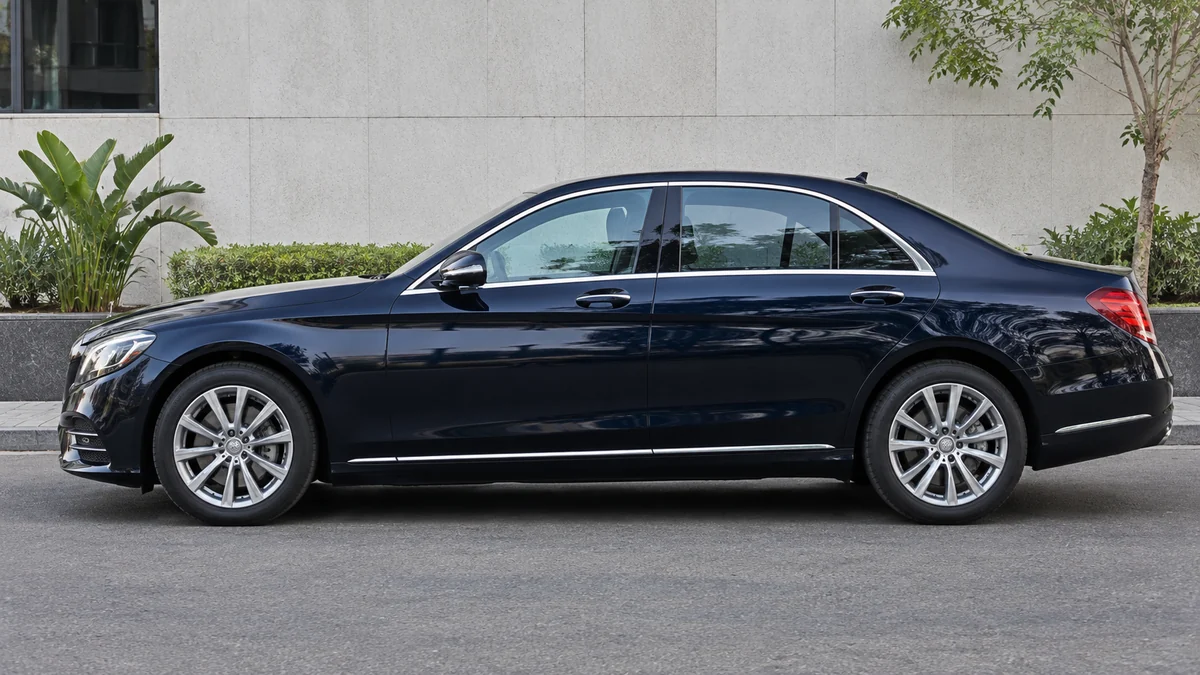
If you prefer to rent a Mercedes with a driver, connect that preference to the passenger space you need. Ask which actual car can be proposed for your date and what equipment has been confirmed. A marque or model year does not establish acoustic isolation, a charging connection, a folding table or a particular passenger layout.
Mercedes is a marque rather than a separate body category, so assess the proposed car’s actual configuration. Use the Limousine Cairo car catalogue to identify options worth discussing, then compare their relevance to your passengers and task. Choose with confirmed details rather than treating a premium exterior as proof that a call will be quiet or private.
Van rental with a driver when a colleague joins you
A van is worth discussing when your travelling group needs a different passenger and luggage arrangement. Describe who will travel and what you want to do during the journey, then ask about the actual seating proposed. A larger body does not establish a meeting table, facing seats or an acoustic separation between passengers.
Consider whether you and your colleague need to hear the same conversation or work independently. That question can be more useful than counting devices. Ask how the actual seats and belongings would be arranged while everyone sits normally. The proposed van, equipment and date-specific availability still need confirmation; the category alone does not settle your working conditions.

Who shares the cabin and who needs to hear the call?
Identify the intended audience before the call starts. Your colleague might be a participant, someone quietly reviewing separate notes or a passenger who should not hear the discussion. The driver also shares the vehicle environment. Think through where the sound will be heard instead of assuming that a private booking creates a separate confidential compartment.
If the journey is being organised for another person, pass on the relevant practical instructions in a form they understand. Our guide to arranging a car for a non-Arabic-speaking guest covers that organiser-and-passenger coordination. Explain a requested arrangement clearly, but let the passenger decide which work is appropriate once the actual setting is known.
Work calls in a chauffeur car: choose the appropriate audio route
Your own phone and headset, a phone speaker and any compatible vehicle audio system create different listening arrangements. Decide who needs to hear the conversation and what you are comfortable playing in the shared space. Bring the personal equipment you intend to use rather than treating a headset or cable as something automatically supplied with the booking.
Check that you understand your chosen audio route before the call. A headset may change where you hear the other person, but it does not make your own spoken words inaudible to nearby people. Choose an ordinary discussion that suits that environment, and keep an alternative if the sound is unsuitable rather than assuming that one device setting will solve every issue.
Before playing call audio through the car speakers
Discuss the plan with the people travelling with you. Vehicle speakers can bring the caller’s words into the cabin for everyone to hear, which may be useful for a joint update but inappropriate for another conversation. Check the intended audience and your organisation’s expectations before choosing that route.
Any equipment familiarisation should take place while the car is suitably parked. If the actual system is unfamiliar or incompatible, use an appropriate personal arrangement or postpone the call. Do not make the driver responsible for troubleshooting a live meeting while driving. The transport booking should remain clear about the driver’s task and the passenger’s own communication needs.
Privacy on work calls: choose what to discuss inside the car
Decide what is suitable to say in a shared vehicle before opening the conversation. A private transfer does not establish that nobody else can hear, that a screen is concealed or that the setting meets your organisation’s rules for business information. A quieter moment may feel more private without changing who is present.
Move sensitive details to a setting appropriate for them. You can use a short call for an ordinary update and arrange the substantive discussion later, rather than trying to change the cabin into a confidential space. Follow your own workplace guidance for documents, notifications and conversations. This is a choice about the task, not a privacy guarantee provided by a vehicle category or personal accessory.
Internet during the journey: prepare your connection without assuming in-car service
Ask whether any connectivity arrangement is actually confirmed for the proposed car if it matters to the booking. Otherwise, prepare the personal connection you intend to use and understand its limits. A working connection before departure does not establish continuous mobile coverage throughout the road journey or compatibility with every device.
Where your organisation permits it, keep the small amount of material needed for a light review accessible without depending on a live download. Check the meeting invitation and contact details before leaving. These preparations make it easier to change tasks if a connection is unavailable; they do not guarantee that a call, file transfer or online meeting will finish during the journey.
Connecting a phone to the display is different from providing internet
A connection between a phone and compatible vehicle equipment is one question; the data service used by an online activity is another. A displayed phone interface or an audio connection does not establish that the rental includes internet. The actual phone, car and connection method need to be considered separately.
Check the instructions for the equipment you actually have, without assuming that a familiar feature is supported by a different car. If all you need is an ordinary passenger call, decide whether connecting to the vehicle serves a useful purpose at all. Follow the instructions for the actual equipment if you do choose to connect.
Charging a phone in a rental car: ask about the port and cable
If charging matters, ask whether a usable connection is present in the actual vehicle, what connector it uses and where it is located. A connection convenient for the front of the car may not be accessible from your normal passenger position. Establish that practical detail before making the journey your only opportunity to charge a device.
Bring a suitable personal cable if that is part of the confirmed arrangement, and prepare your phone beforehand. Do not infer that a cable, adapter or power accessory will be supplied. If a necessary requirement cannot be confirmed, plan your device use around what you can actually provide instead of relying on the appearance of a console in a catalogue image.
A charging cable does not establish speed or screen compatibility
A matching-looking connector is not enough to establish charging speed or the functions available through a cable. Check the actual car and device instructions and ask about the equipment provided. A connection used for power should not be treated as proof that the phone can display its interface or share data through the vehicle.
Keep the enquiry focused on the function you need. Asking whether you can charge your own phone from the intended passenger position is clearer than requesting every possible connection feature. Avoid improvising extensions or unfamiliar adapters around the cabin. If the proposed arrangement is unclear, resolve it before relying on it for an essential task.
Prepare the call and task before the car moves
Use an appropriate parked moment to prepare your own phone, meeting details, audio choice and notes. Keep the materials you need accessible without rearranging the occupied cabin. If a colleague is participating, agree who will speak and which information should wait for later. This is a short preparation for the passenger’s task, not a request for technical support from the driver.
Once the journey begins, retain the option to stop working. There is little benefit in struggling with a connection or document simply because you planned to use the travel time. Put the task away when the conditions do not suit it, and keep the information needed for your destination separate from any work material you may no longer be using.
Keep a normal seated position and belt during the journey
Your task should fit ordinary passenger seating and restraint use. If reaching a device or supporting paperwork requires leaving that position, choose another activity or wait. Keep belongings appropriately arranged and follow the actual vehicle instructions rather than changing seats or cabin equipment to create a work surface.
The question is whether the activity fits the journey, not whether the journey can be reshaped around every activity. Listening or reviewing a short note may be all you choose to attempt. Leave detailed editing for a place where the materials and seating suit it.
For an essential call, separate it from the estimated journey time
Give an important meeting a plan that does not depend on the car remaining in motion for a particular period. The road journey may take a different shape from the estimate, and its surroundings may not provide the sound or connection you need. Schedule an essential discussion in a suitable setting rather than making the arrival estimate its only available window.
If you want to request a stop, discuss it before confirming the booking, including whether a suitable permitted location and the requested service scope can be agreed. A stopped car does not by itself guarantee quiet, privacy or signal. For the wider day’s routes and appointments, use the Cairo business-meetings transport guide rather than treating the call as an unplanned extra stop.
Hypothetical example: a passenger and colleague between a hotel and a work appointment
This is a planning example, not a customer account. Two adult passengers are travelling from a hotel to a work appointment. One wants to make a brief ordinary call, while both want to review a small set of notes. They ask about actual sedan options, including any proposed Mercedes, and a van if its seating arrangement suits their needs.
They prepare their own communication equipment and keep the review material easy to put away. A separate critical discussion is scheduled for a suitable place after the journey rather than depending on uninterrupted conditions in the car. If a stop is requested, they ask whether it can be confirmed within the booking. Their plan stays flexible: the light task can wait if conditions do not suit it.
Compare the task and car conditions before relying on travel time
Use the comparison to decide what to prepare and when to choose another setting. It does not rank vehicle categories as workplaces; the actual cabin, passengers and task determine the questions.
On a narrow screen, swipe across the table to read every column.
| Task | What to prepare or ask about | When to choose another setting |
|---|---|---|
| Short ordinary call or listening | Your personal audio arrangement and who can hear the discussion in the actual cabin | When continuous participation is essential or the audio would not suit the people present |
| Light notes or a few documents | Normal seating, concise material and where passengers’ belongings will go | When the work needs a surface or position that does not fit the seat |
| Sensitive or uninterrupted meeting | Your organisation’s requirements, a suitable setting and a separate time | Arrange it separately from the journey rather than relying on road conditions |
Prepare a car rental enquiry in Egypt around the task and passengers
Send the date, route, passengers and relevant luggage needs. Explain the passenger position you would like to discuss and any question about actual charging equipment or a requested stop. Share the practical requirement without sending the contents of your work documents. Start with the car rental with a driver service, then ask customer service what can be confirmed for the proposed vehicle and journey.
Enquire through Limousine Cairo on WhatsApp or call 01118974446, 01118974448 or 01118964445. The website is a car catalogue, with booking details confirmed by telephone or WhatsApp. If you connect a personal device, ask how to disconnect it and review pairing or permissions using the actual system’s instructions. Do not reset a shared vehicle system or assume a phone-side action removes every stored detail from the car.
Conclusion
Choose the work around the actual passenger space, who can hear and the communication equipment you have prepared. Confirm any car-specific requirement instead of inferring it from a marque or photograph. Keep ordinary calls and light review flexible, and give important or sensitive discussions a suitable alternative setting rather than relying on the journey to provide one.
Frequently asked questions
Does a rental car automatically include internet or a charger?
Ask what, if anything, is confirmed for the actual car and date. Prepare the compatible personal equipment and connection you intend to use rather than assuming those items or services are included.
Does connecting a phone to the car display mean the car provides internet?
No. Device connection, equipment compatibility and an internet service are separate questions. Check the actual phone and vehicle arrangement without treating a displayed interface as an included connection.
Does renting a Mercedes guarantee quiet or call privacy?
No marque establishes either condition. Consider the actual cabin, who can hear and the surroundings. Follow your organisation’s guidance and move sensitive conversations to a suitable setting.
Can I request a stop for an important call?
Ask before confirmation whether a suitable permitted stop can be agreed within the requested service. Do not assume a particular location, quiet surroundings, mobile signal or timing.
What should I check if I connect my phone to the car during the journey?
Follow the actual system’s instructions for disconnecting and reviewing personal pairing or permissions. Do not factory-reset the vehicle or assume that removing a connection on your phone erases all vehicle data.